
3D product animation,online.
Turn a 3D model into a finished shot without opening Blender. Import a .glb, .obj or .fbx, drop in an SVG logo or type 3D text, frame it, light it, animate the camera on a real timeline, and export a video, GIF, still or ready-to-run code, all in your browser.
- No install
- No sign-up to start
- Your files never leave your device

See it move in under a minute
Import a model, pick a camera sequence and export. That is the whole workflow.

A full 3D studio, in a browser tab
Built for designers and marketers who need a product shot moving, not a 3D career. Everything below works the moment the page loads.
A real timeline, not a list of steps
Camera clips sit on a time ruler. Drag to reorder, pull an edge to change the duration, scrub the playhead to see any exact frame. Each clip even renders its own thumbnail.

Material finishes
Matte, Clay, Glossy, Metallic or Chrome, plus a colour override you can always revert.

Studio lighting
Three presets, a steerable key light and soft contact shadows that scale with any model.

Any background
Studio, solid colour, two-colour gradient, your own image, or fully transparent.

Drop any model, SVG or text in
OBJ with its materials and textures, or FBX, GLB and glTF. Drop an SVG logo to extrude it in its own colours, or type 3D text in any font. Large files are fine because they are read locally, never uploaded.
Model parts & framing
Hide backdrops and stray geometry in the parts tree, set any angle as Front, and pick the canvas ratio once: 1:1, 4:3, 16:9 or 9:16. Every export follows it.
Hand real 3D to a developer PRO
Export the model plus your exact animation as a working Three.js package: interactive 3D on your website, drivable from scroll instead of a clock.

Renders faster than real time
Video is encoded offline with WebCodecs, so an eight-second clip does not take eight seconds to export.

18 moves. 8 one-click sequences.
Start from 360 Loop, Hero Reveal, Product Spin, Dramatic Orbit, Four Sides, Spiral Approach, Gentle Sway or Inspection, then stack your own moves on the timeline.
Views
Turns
Moves
Idle
From model to finished clip in three steps
Usually under a minute, and no 3D experience needed.
-
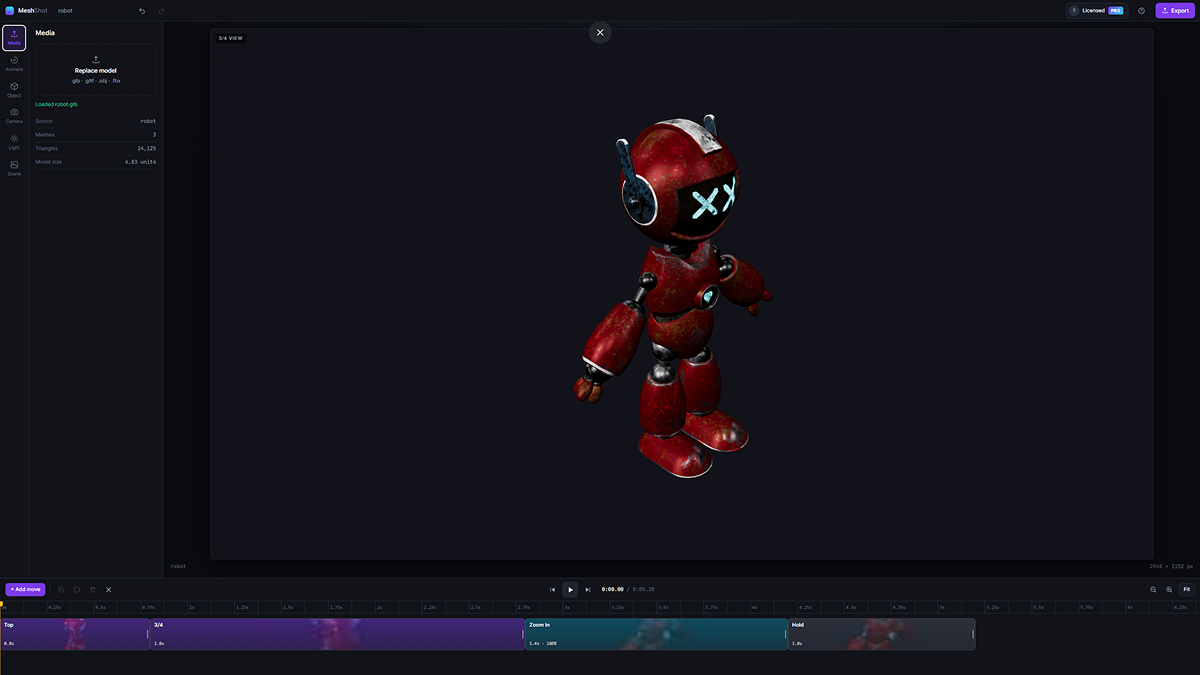
1Drop your model
Drag the file onto the page. It is framed, lit and ready immediately.
-
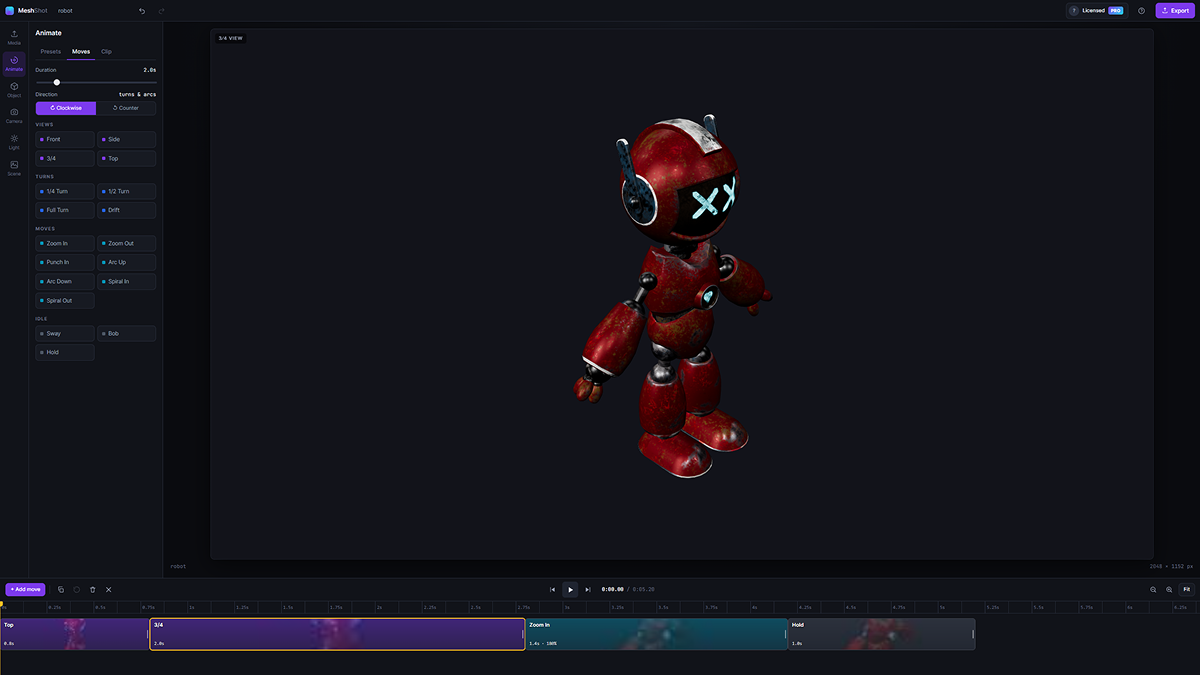
2Build the move
Pick a preset or stack your own turns, zooms and holds on the timeline.
-
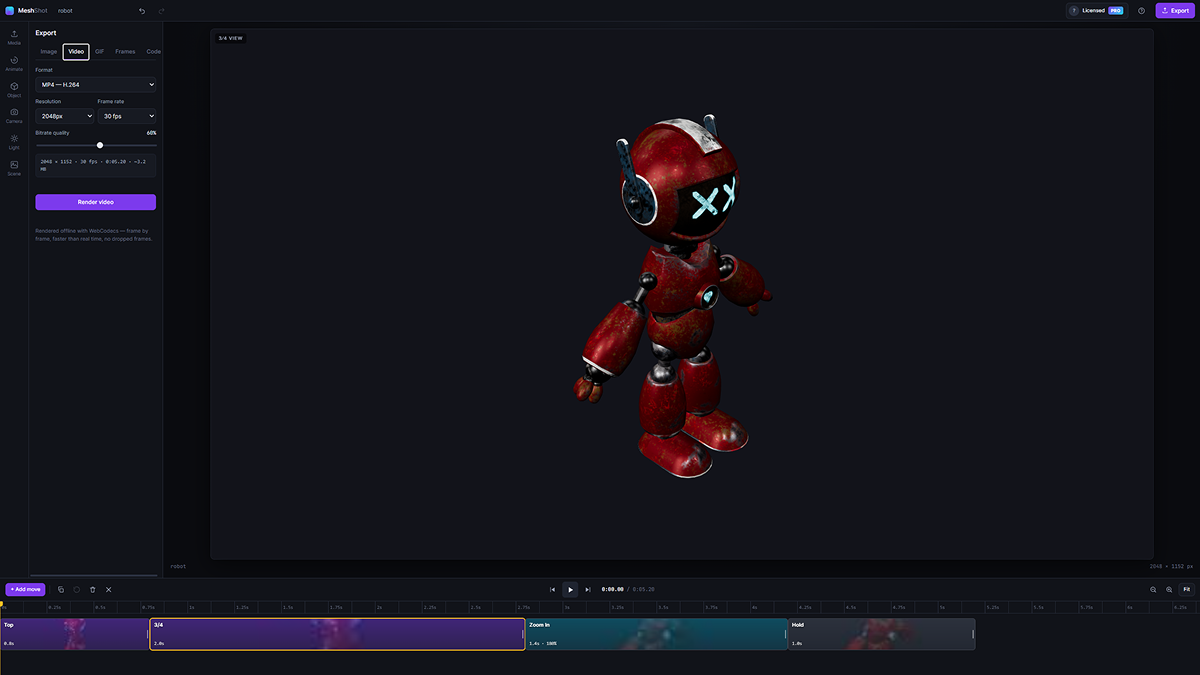
3Export it
Video, GIF, still or code, downloaded straight to your computer.


Export where you need it
Stills and sequences are free. Motion and code come with Pro.
| Format | Max size | Good for | Plan |
|---|---|---|---|
| PNG still | 8192 px | Hero images, real alpha transparency | FREE |
| PNG sequence (.zip) | 8192 px | After Effects, Blender, compositing | FREE |
| MP4 (H.264) | Up to 4K* | Websites, social, presentations | PRO |
| WebM (VP9 / VP8) | Up to 4K* | Web video, usually higher resolutions | PRO |
| Animated GIF | 1920 px | Email, docs, real transparency | PRO |
| Three.js code package | — | Interactive 3D on any website | PRO |
*Maximum video size depends on what your browser and graphics card can encode. MeshShot checks this for you.
Your models never leave your machine
There is no upload step because there is no server. MeshShot reads your file with the browser, renders it on your own graphics card and saves the result straight to your downloads.
- Safe for unreleased products and client work under NDA
- Huge files load without waiting for an upload
- No account needed for the free editor
Work in Figma? MeshShot is there too.
The MeshShot: 3D to Figma plugin brings the same renderer into your design file. Import a model, turn text or a logo layer into 3D, and place snapshots, video and animation frames straight on the canvas.
- Available now on Figma Community
- One Pro licence key unlocks both the plugin and the web app
- Heavy file? Open it here, in the full browser window

Free to start. Pro from $3.95/mo.
Cancel anytime. One Pro subscription unlocks MeshShot on the web and in the Figma plugin.
Everything you need to frame, light and animate.
- The full editor and timeline
- All 18 camera moves and 8 sequences
- Stills up to 720px (PNG, WebP, JPG)
- PNG image sequences
- Video and GIF, with MeshShot watermark
- No sign-up required
$5.33 per month, billed every 3 months
- MP4 and WebM video, no watermark
- Animated GIF with real transparency, no watermark
- Three.js code package export
- 3D model download: GLB, STL, OBJ
- Works in the Figma plugin too
- Cancel anytime from Gumroad
Compare plans in detail · Payments handled securely by Gumroad
Questions, answered
Is MeshShot really free?
Yes. The full editor and timeline are free with no sign-up, along with stills and PNG sequences up to 720px, and watermarked video and GIF up to 720p, 5 seconds and 15 fps. A Pro subscription (monthly, quarterly or every 2 years) lifts those limits to 8192px stills and 4K video with no watermark, and adds the Three.js code export and the 3D model download.
Are my 3D models uploaded anywhere?
No. MeshShot has no server. Your model is read from disk by your browser and stays on your machine for the whole session.
Which 3D file formats can I import?
GLB, glTF, OBJ (with its MTL file and textures) and FBX models, plus SVG logos, which are extruded into 3D in their own colours. You can also type 3D text. Drop the files anywhere on the page. OBJ files without an MTL load in flat grey, because OBJ carries no colour on its own.
Do I need Blender or 3D experience?
No. Models are framed and lit automatically, and eight one-click sequences build a full camera animation for you. You can then fine-tune clips on the timeline.
Is there a Figma plugin?
Yes. MeshShot: 3D to Figma is available on Figma Community, and the same licence key unlocks Pro in both the plugin and the web app.
Can I get a transparent video?
No video format carries a real alpha channel, so with a transparent background MeshShot also renders a synced black and white matte for compositing. GIF and PNG exports keep real transparency.
More answers on the support page.
Turn your 3D files into GIFs, video and PNGs
Try it with your own model
The editor is free forever, with stills and PNG sequences up to 720px. No sign-up, no install, no upload.