
The 3D Figma pluginfor product visuals
MeshShot: 3D to Figma puts a small 3D studio next to your frames. Import a model, turn a headline or logo into 3D, move the camera, and drop a snapshot, video or GIF straight onto your canvas.
- Free to install
- Works in Figma web and desktop
- No 3D experience needed

From model to canvas without leaving Figma
Watch a model go from a raw file to an animated render on a Figma frame.

One panel, ten controls
The plugin is a single scrolling panel. Here is what each part does, from the top of the panel to the bottom.
Import a 3D model
Drop a .glb, .gltf, .obj or .fbx file. Select an .mtl with its textures to keep the original colours.
Scale, material, shadow
Resize the object, keep its own material or restyle it, and switch the shadow on or off.
Aspect ratio
Square, 4:3, 16:9 or 9:16. Framing and every export follow the ratio you pick.
Model parts
See the separate meshes inside detailed models such as phones and devices.
Camera & field of view
Front, Side, 3/4 or Top, with a field-of-view slider from flat telephoto to deep perspective.

Model orientation
Rotate on X, Y and Z to stand a model upright, then save the angle with Set current view as Front.
Lighting
Pick a preset, then adjust brightness, light angle and light height. Shadow softness and distance are adjustable too.
Background
Studio, Transparent, solid Colour, Gradient or an Image of your own.
Camera timeline
360 Loop, Hero Reveal, Product Spin, Dramatic Orbit or Four Sides, or chain your own steps and press Play.
Snapshot, video, GIF
Place a snapshot on the canvas, render video or GIF, or lay frames out as a storyboard row or looping prototype.
Real renders, made in Figma

Your real product, on your frame
Drop in the device or packaging file you already have. It lands lit and centred in the preview, ready to style, instead of waiting on a separate 3D render.
- GLB, glTF, OBJ and FBX
- Original materials and textures kept
- Detailed models with dozens of parts

Type it. Get 3D text.
Write a word and MeshShot extrudes it into solid lettering with a real shadow underneath. Good for launch banners, thumbnails and bold headers.
- Shadow softness, size and distance
- Studio lighting with angle and height
- Framed automatically

Give your logo depth
Select a vector layer and MeshShot turns it into a 3D object you can light, rotate and animate. Brand marks and app icons look premium in a couple of clicks.
- Built from your own Figma layers
- Snapshot straight onto the canvas
- Frames as a storyboard row

Video and GIF in one click
Chain steps such as Front, Half Turn and Hold, preview them, then render. Download the file or apply it to your Figma frame.
- WebM (VP9) for best quality
- Cancel a render at any time
- Download video or Apply to Figma
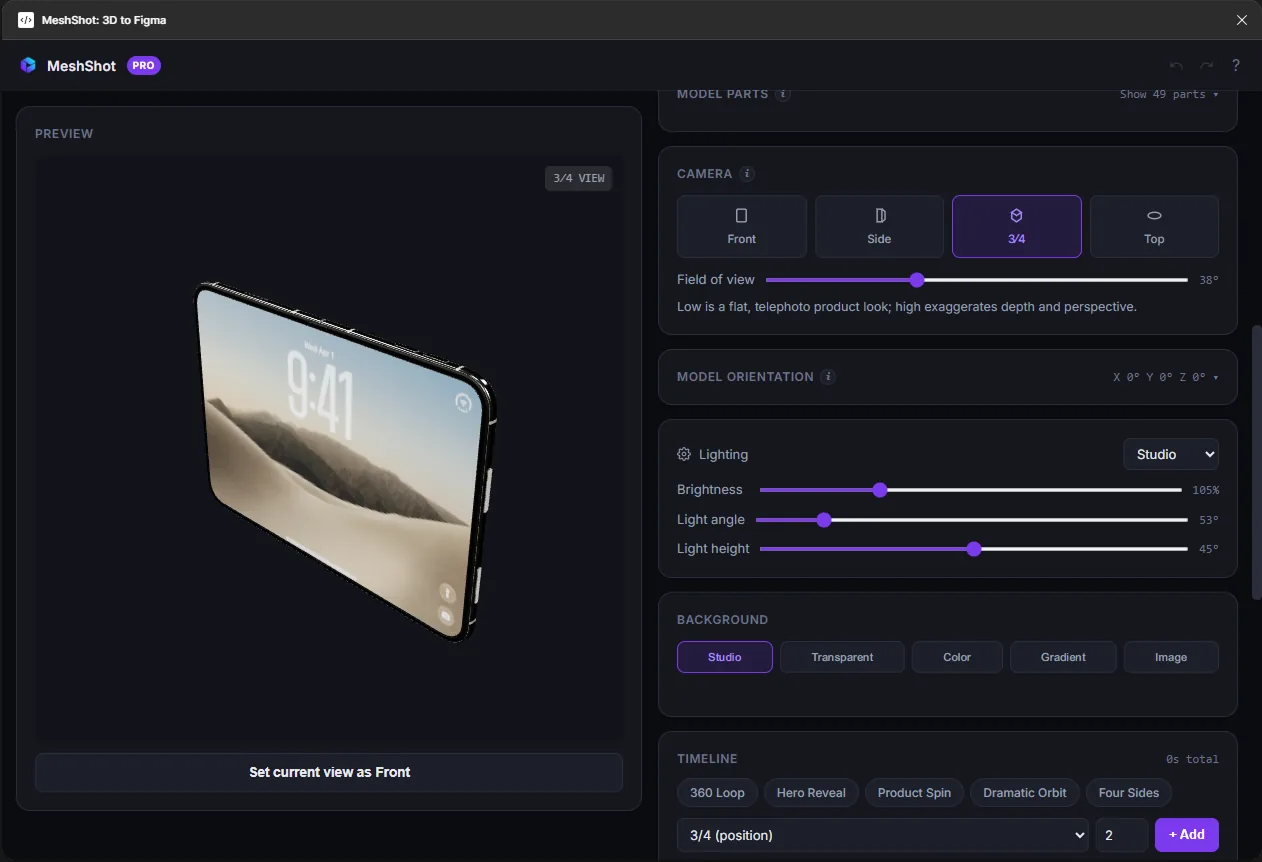
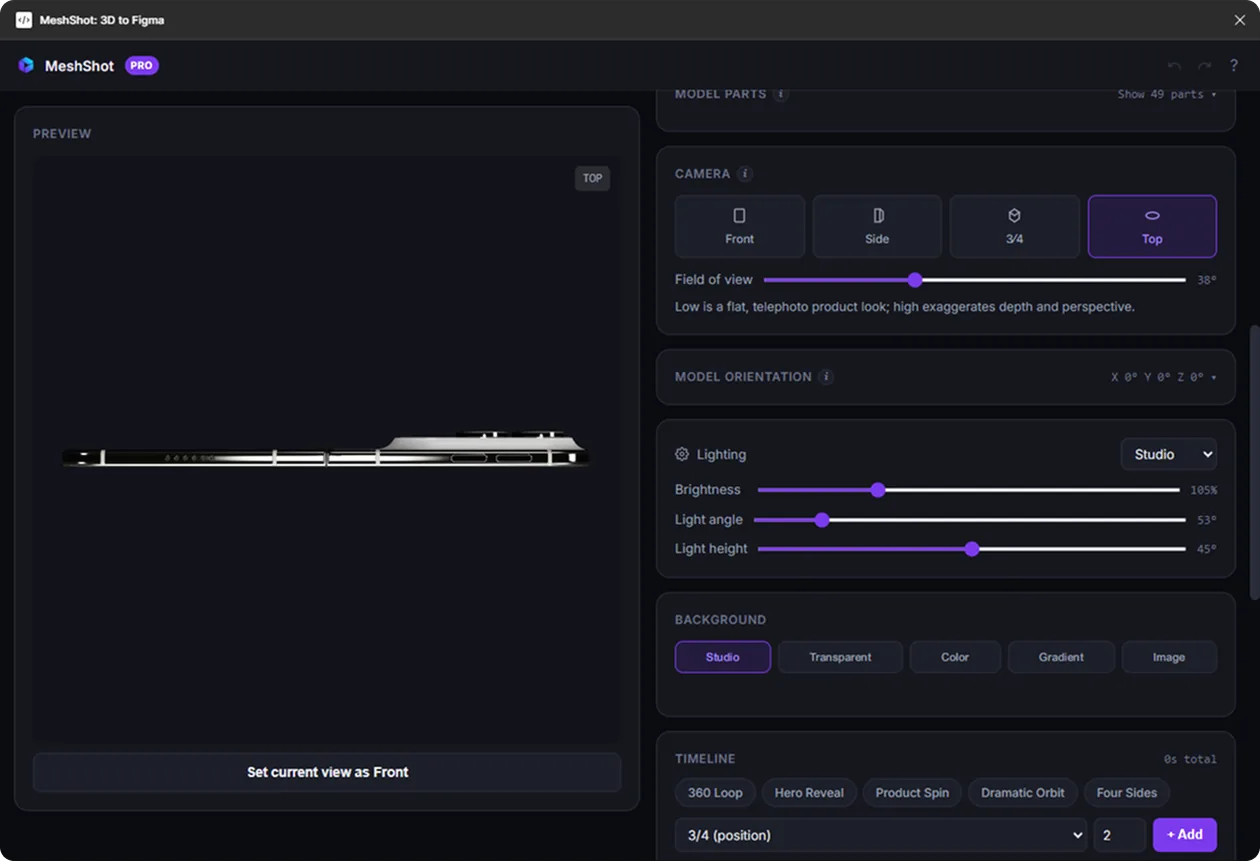
One model, every angle
Switch the camera and the same model tells a different story. Try it: flip between the 3/4 hero view and the top view used for flat lays.
Use both. One licence.
The plugin is best for quick visuals inside a design file. The web app is best for heavy models and longer animations.
| Figma plugin | Web app | |
|---|---|---|
| Where it runs | Inside your Figma file | Any browser tab at meshshot.com |
| 3D text & logos | From text or Figma layers | Type 3D text or drop an SVG logo |
| Timeline | Step chips with Play preview | Clips on a time ruler, scrub and trim |
| Stills | Snapshot placed on the canvas | PNG download up to 8192px |
| 3D model download | — | GLB, STL or OBJ (Pro) |
| Motion | Video, GIF, frames on canvas | MP4, WebM, GIF, PNG sequence, code |
Open the web app · nothing to install
Free to install. Pro from $3.95/mo.
One Pro subscription covers the Figma plugin and the web app. Cancel anytime.
Build and style 3D scenes in Figma.
- Import GLB, glTF, OBJ and FBX
- 3D text and 3D logos
- Camera, lighting and backgrounds
- Snapshots to the canvas
- Video and GIF, with MeshShot watermark
$5.33 per month, billed every 3 months
- Video and GIF, no watermark
- Looping prototype frames
- Pro in the web app too: MP4, WebM, GIF, code and 3D model download
- Cancel anytime from Gumroad
- Secure checkout by Gumroad
- Cancel anytime
- Licence key by email
Figma plugin questions
How do I install the MeshShot Figma plugin?
Open the MeshShot page on Figma Community and click Open in, or search for MeshShot under Plugins in any Figma design file.
Which 3D formats does the plugin import?
GLB, glTF, OBJ and FBX. For OBJ, select the MTL file and its textures together to keep the original colours.
Can I turn my own logo into 3D?
Yes. Select a vector layer in Figma and MeshShot turns it into a 3D object you can light, rotate and animate. You can also type text and get solid 3D lettering.
Does one subscription cover the plugin and the web app?
Yes. It is the same Gumroad product, so one Pro licence key unlocks Pro in the Figma plugin and at meshshot.com.
Can I cancel my Pro subscription?
Yes. You can cancel anytime from your Gumroad library. Pro stays active until the end of the period you have paid for.
What if my model is too heavy for the plugin?
Open it in the MeshShot web app. It uses the whole browser window instead of a plugin panel, and with Pro exports stills up to 8192px.
Turn your 3D files into GIFs, video and PNGs
Add 3D to your next Figma file
Install MeshShot from Figma Community and turn a mockup, headline or logo into motion in a few minutes.